 Coming soon
Day Zero
Your personal health records archive.
Collect, organize and keep your own health records: documents, results, medications, family history and notes, in a private archive on your iPhone, iPad or Mac that you can export whenever you need it.
iPhone, iPad, Mac · iOS 26, iPadOS 26 or macOS 26
How it works
Four steps, start to finish.
- 1
Add records
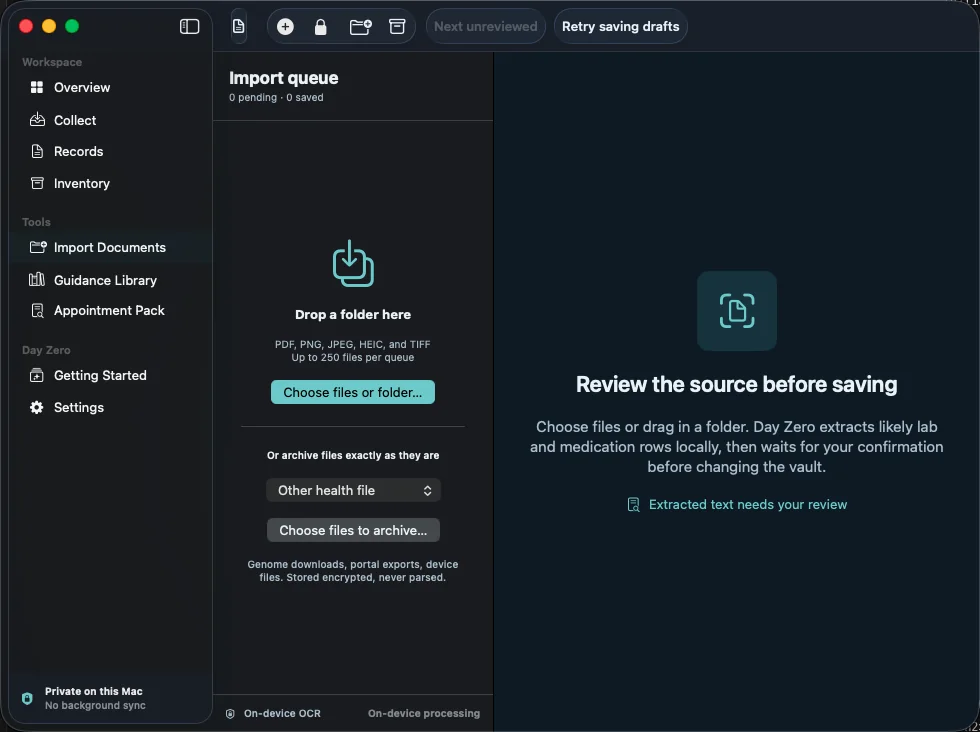
Import PDFs and images, scan paper with your camera, drop in a folder on the Mac, read Apple Health, or type entries in.
- 2
Review before saving
Extracted results and medications are shown for you to confirm. The original file and text are kept.
- 3
Organize
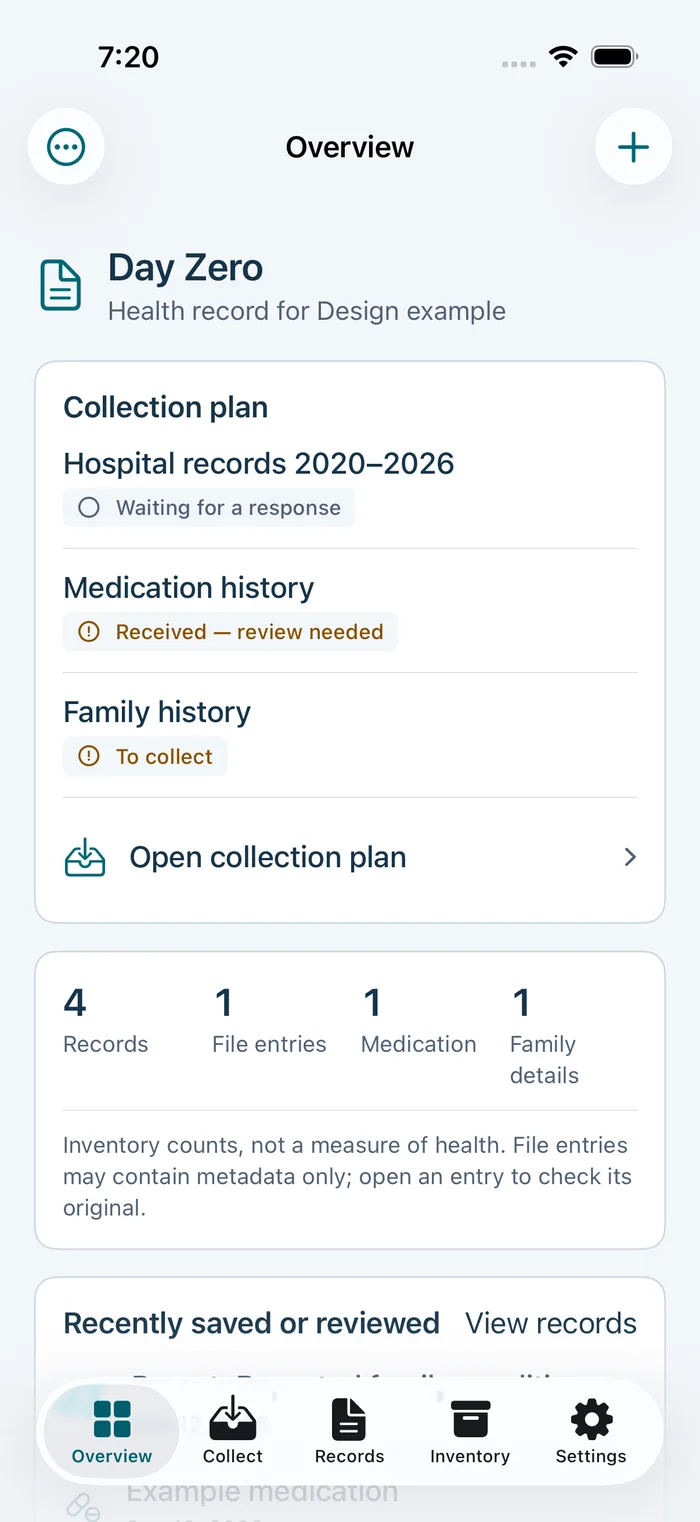
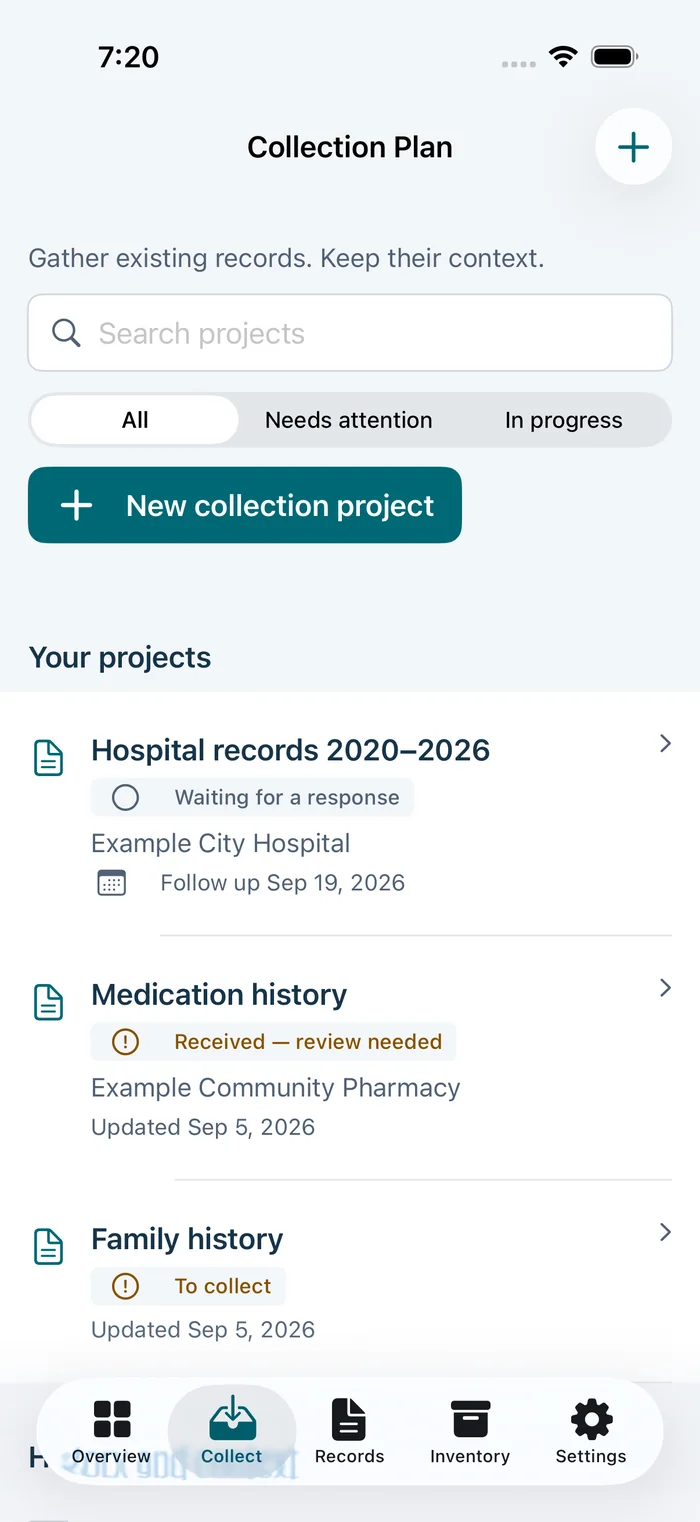
Create collection projects like “Hospital records 2020–2026” and track what you’ve requested and received.
- 4
Export
Put together an Appointment Pack, export PDF, JSON, CSV or FHIR R4, or make a password-protected backup.
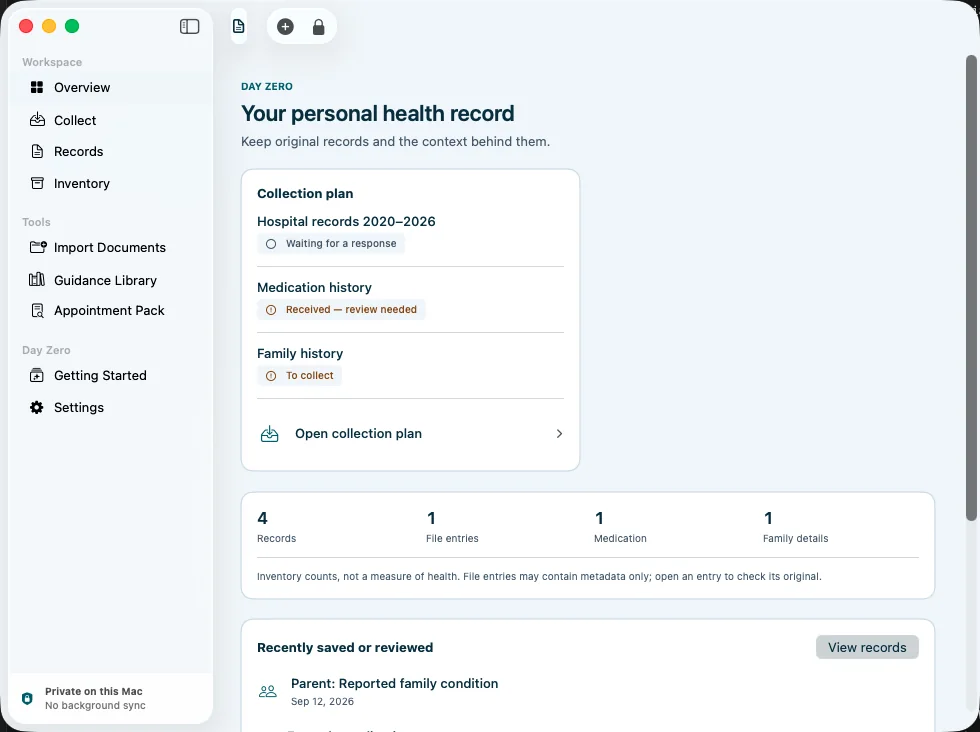
A closer look
See it in action.
Shown with example data.
Features
What it does
Import and scan
PDF, PNG, JPEG, HEIC and TIFF, up to 250 files at a time, with on-device text recognition.
You confirm everything
Extracted lab results and medications are shown for review before anything is saved.
Originals kept
Original documents, values, units, printed ranges, dates and sources are kept exactly as they were.
Collection plans
Track records you’ve requested, received, or found unavailable, with follow-up dates.
Apple Health
On iPhone and iPad, read the categories you choose, including Clinical Health Records. Automatic updates stay off unless you turn them on.
Personal history
Dated personal notes, your usual routine, medications and family history, with room for “unknown”.
Appointment Pack
Choose records and questions to bring to an appointment, and preview it before you share.
Open exports
PDF, JSON, CSV and FHIR R4, with the original files and checksums. No extra purchase needed.
Backups and app lock
Password-protected backups for recovery or moving devices, plus Face ID or Touch ID lock.
Day Zero organizes your records. It does not diagnose, interpret results, or recommend tests or treatment.
Privacy
Private by design.
No account or server
No account, no developer server, no cloud AI, no ads and no third-party analytics.
Encrypted on your device
Health details and original documents are encrypted with a key that stays on your device.
You decide what leaves
Nothing syncs automatically. Exports and backups happen only when you make them.
Permissions when needed
The camera is used only when you scan, and Apple Health only for the categories you pick.
Keyboard
On the Mac
Questions
Good to know
Is my data uploaded anywhere?
No. There’s no account or developer server, and text recognition happens on your device.
Does it sync between iPhone and Mac?
Not automatically. Move your archive with a password-protected backup. Restoring replaces the archive on the other device.
Will it tell me what my results mean?
No. Day Zero keeps your original values, units and ranges exactly as recorded and doesn’t interpret them.
Can it read Apple Health?
On iPhone and iPad, yes: read-only, for the categories you choose. The Mac app can’t read Apple Health directly.
What if I forget my backup password?
It can’t be recovered, so keep it somewhere safe.
Is there a subscription?
No. Day Zero is planned as a one-time purchase with everything included.
Platforms
iPhone, iPad, Mac
iOS 26, iPadOS 26 or macOS 26
Get it
- Coming soon. The download will be linked here.