 Coming soon
InboxHero
Privacy-first email cleanup for Mac.
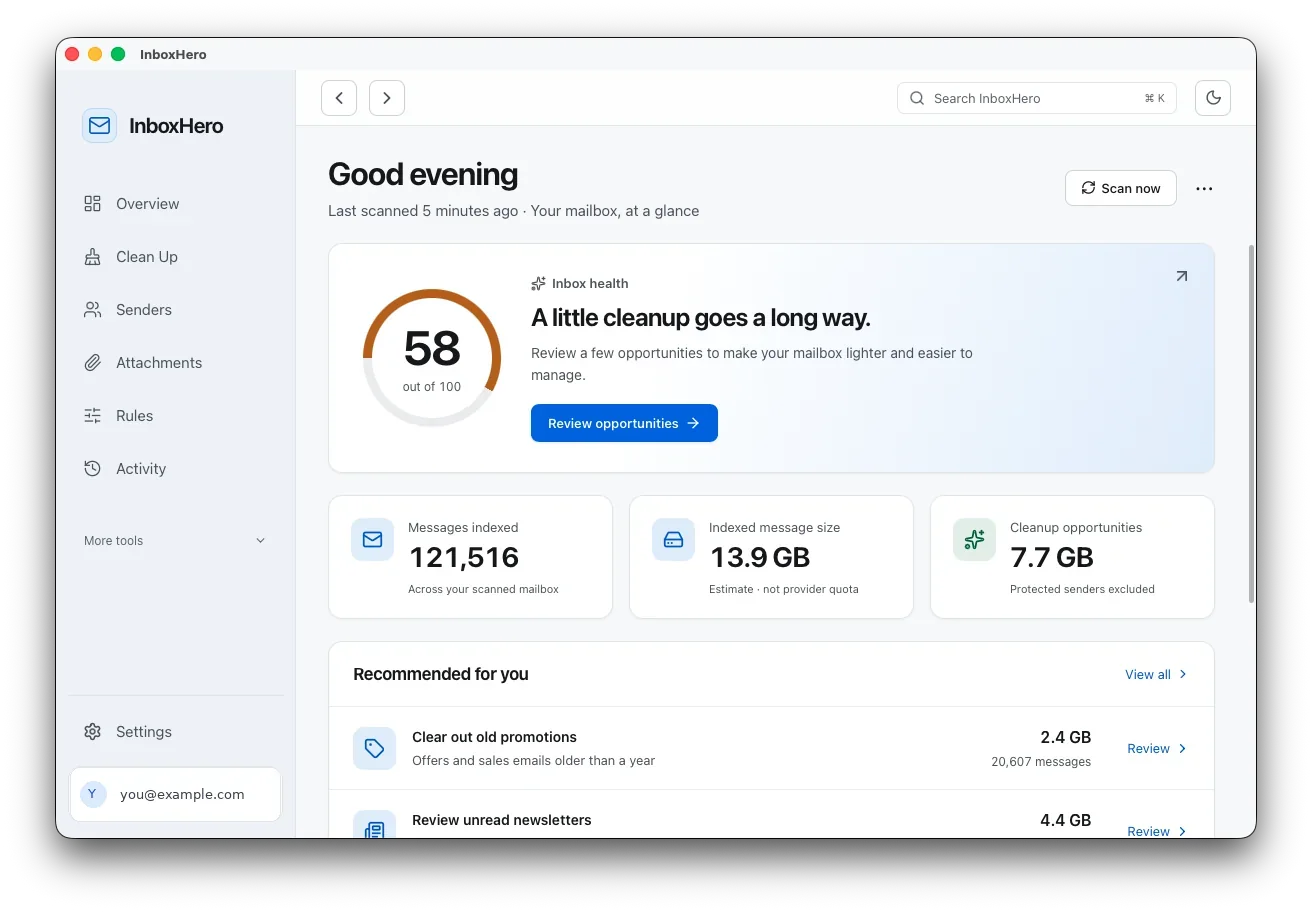
Connect Gmail or Outlook and see what’s filling your mailbox: old promotions, unread newsletters, big attachments and the senders behind them. InboxHero reads message details, not message contents, and keeps its index encrypted on your Mac.
Mac · macOS 12 or later
How it works
Four steps, start to finish.
- 1
Connect
Sign in to Gmail, Outlook or Hotmail on the provider’s own page. InboxHero starts with read-only access.
- 2
Scan
It indexes the sender, subject, date and size of each message into an encrypted database on your Mac. Pause and resume any time.
- 3
Understand
See your health score, your biggest senders, your attachments and a timeline of your mailbox by era.
- 4
Clean up
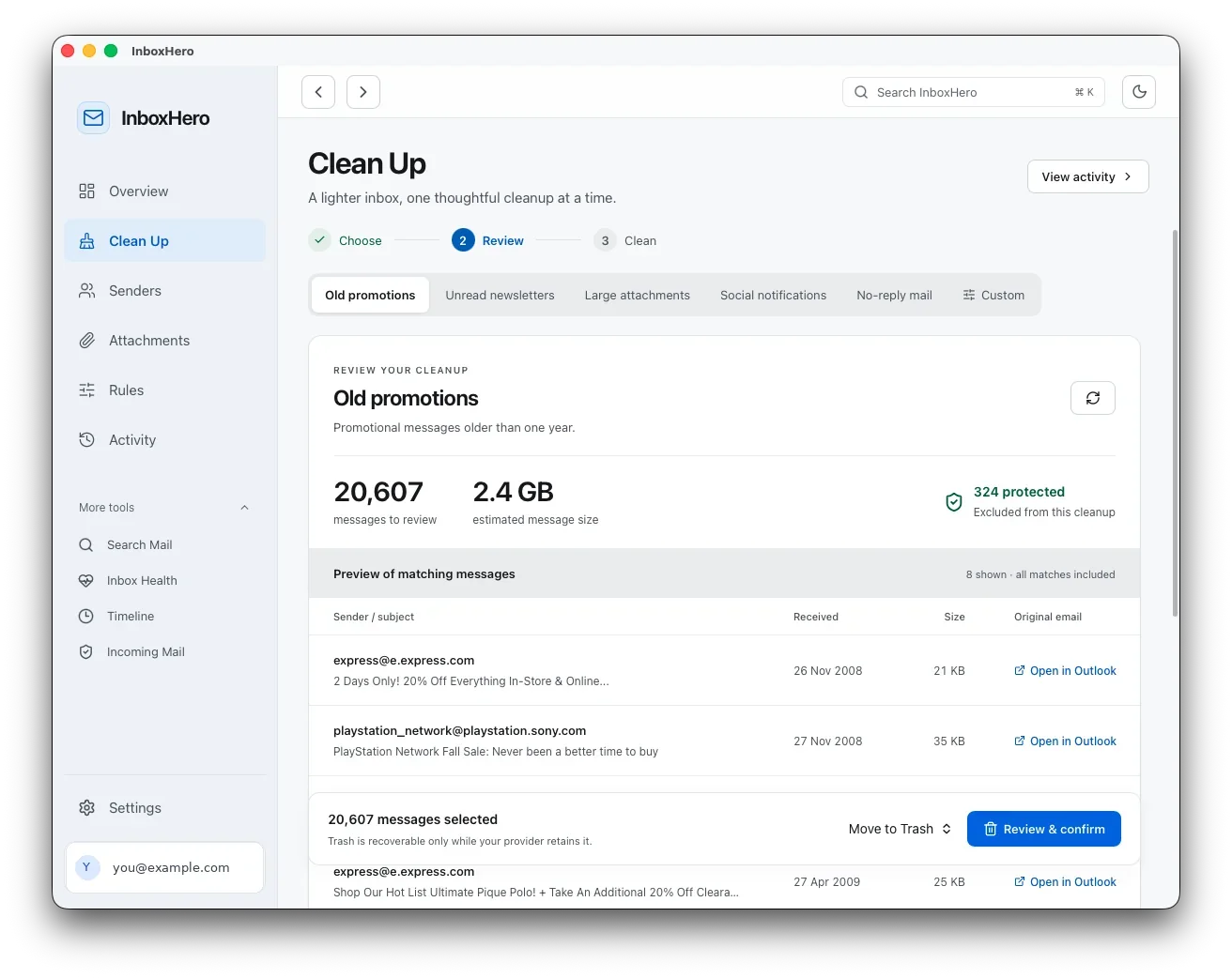
Pick a cleanup, preview every match, then move it to Trash or Archive. Permission to change mail is only requested now.
A closer look
See it in action.
Account details in these screenshots have been replaced.
Features
What it does
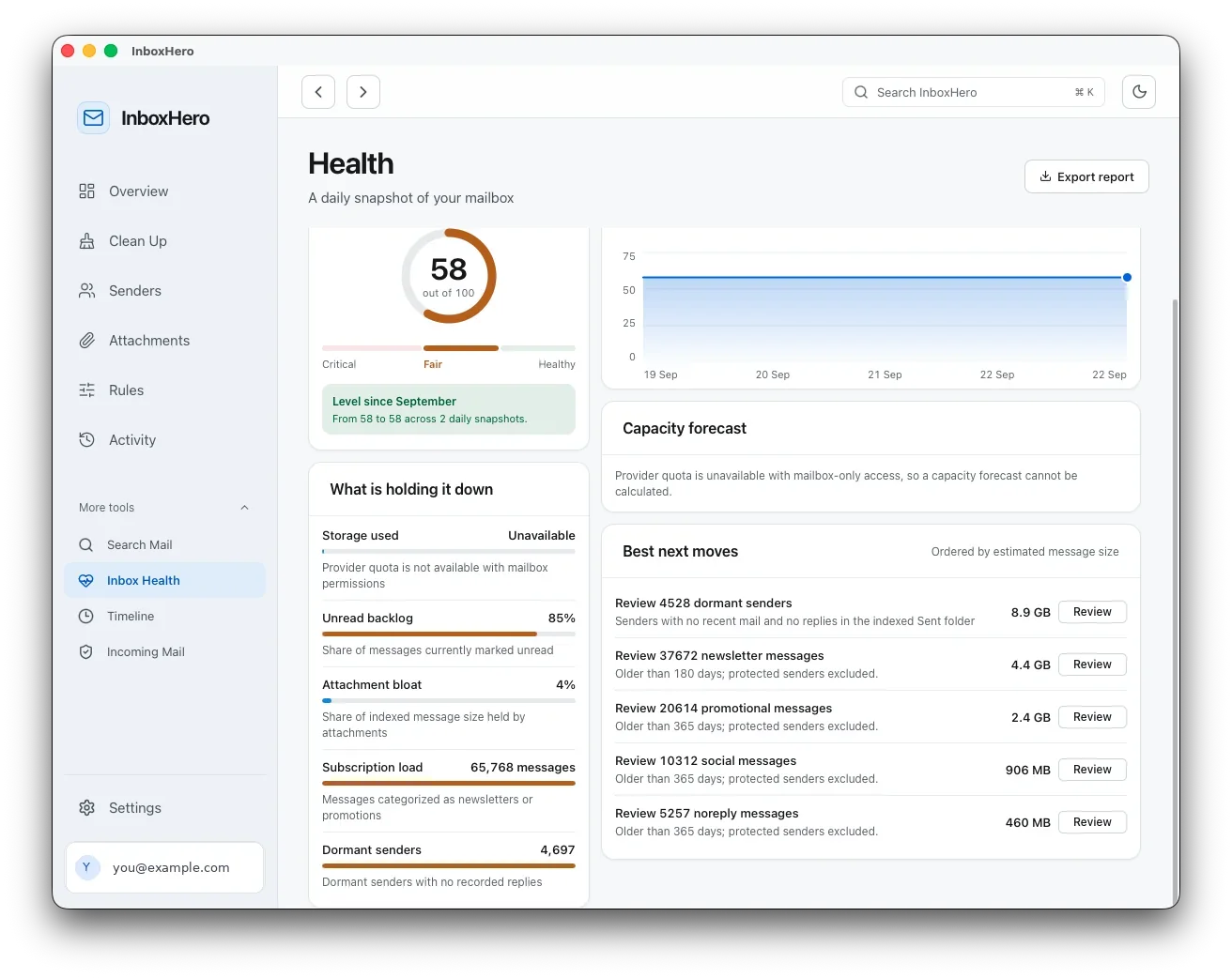
Inbox health score
A score out of 100, the factors pulling it down, and the cleanups that would help most.
Guided cleanups
Presets for old promotions, unread newsletters, large attachments, social notifications and no-reply mail, plus your own filters.
Trash or Archive, never delete
Cleanups move mail to your provider’s Trash or archive it. There’s no permanent delete and no “empty trash” button.
Undo for 30 days
Activity lists every confirmed change, and Undo puts messages back where they were while your provider still has them.
Protected senders
Banks, healthcare, tax and government senders are detected and left out of every bulk action. Add your own too.
Senders at a glance
Every sender ranked by volume or size, with how much you actually read. Protect, review or unsubscribe from there.
Safer unsubscribe
Uses one-click unsubscribe when a sender supports it, otherwise opens their page in your browser. Unsafe links are refused.
Attachments list
Every attachment’s name, type and size, filterable, with a link to open it in Gmail or Outlook.
Search and Time Travel
Search everything InboxHero has indexed, or browse your mailbox by era to see where the bulk came from.
Privacy
InboxHero talks only to Google or Microsoft. There’s no InboxHero server.
Details, not contents
It fetches headers like sender, subject and date, plus sizes and attachment names. Message bodies and attachment contents are never downloaded.
Encrypted on your Mac
The index lives in an encrypted database, and sign-in tokens are encrypted too. The key is tied to your Mac.
Least access first
Read-only permission to start. Permission to change mail is requested only when you first clean up.
No tracking
No analytics or tracking SDKs and no InboxHero account. The app never sees your email password.
Questions
Good to know
Does InboxHero delete my email?
No. It moves mail to your provider’s Trash or archives it. There’s no permanent delete, and Trash stays recoverable for as long as your provider keeps it.
Can I undo a cleanup?
Yes. Activity lets you undo confirmed changes for 30 days, as long as the messages are still with your provider.
Does it read my emails?
Only the details: sender, subject, date, size and attachment names. Message bodies and attachment contents are never downloaded.
Which email accounts work?
Gmail, Outlook.com and Hotmail.
Does it use AI?
No. Categories come from rules you can understand, and nothing is sent to an AI service.
Will it touch my bank or medical email?
Senders from banks, healthcare, tax and government domains are protected automatically and excluded from every bulk action. You can add your own.
Platforms
Mac
macOS 12 or later
Get it
- Coming soon. The download will be linked here.