 Coming soon
SmartFolder Pro
Turn Downloads into an inbox you can actually clear.
SmartFolder Pro remembers where every download came from, helps you review, move and rename files with undo, and can file new downloads automatically with rules you approve.
Mac · macOS 15 or later
How it works
Four steps, start to finish.
- 1
Choose folders
Browse any folder, or monitor Downloads so new files arrive in a review inbox.
- 2
Review
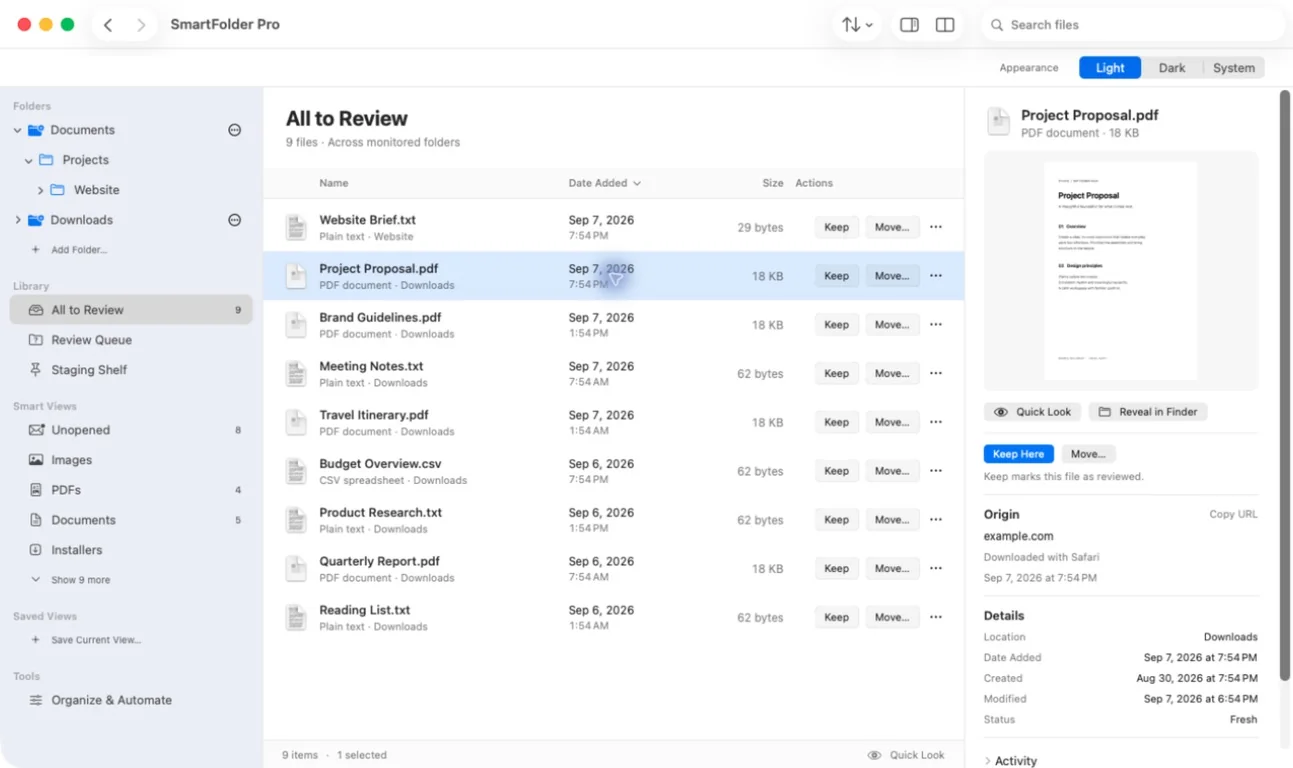
Each file shows where it came from. Keep it, move it, rename it, shelve it for later, or send it to the Trash.
- 3
Automate
Accept suggested rules or write your own, preview what they’ll do, and let new downloads file themselves.
- 4
Clear the backlog
Use Smart Views, Duplicates and the Cleanup Wizard, approving each plan before it runs.
A closer look
See it in action.
Shown with sample files.
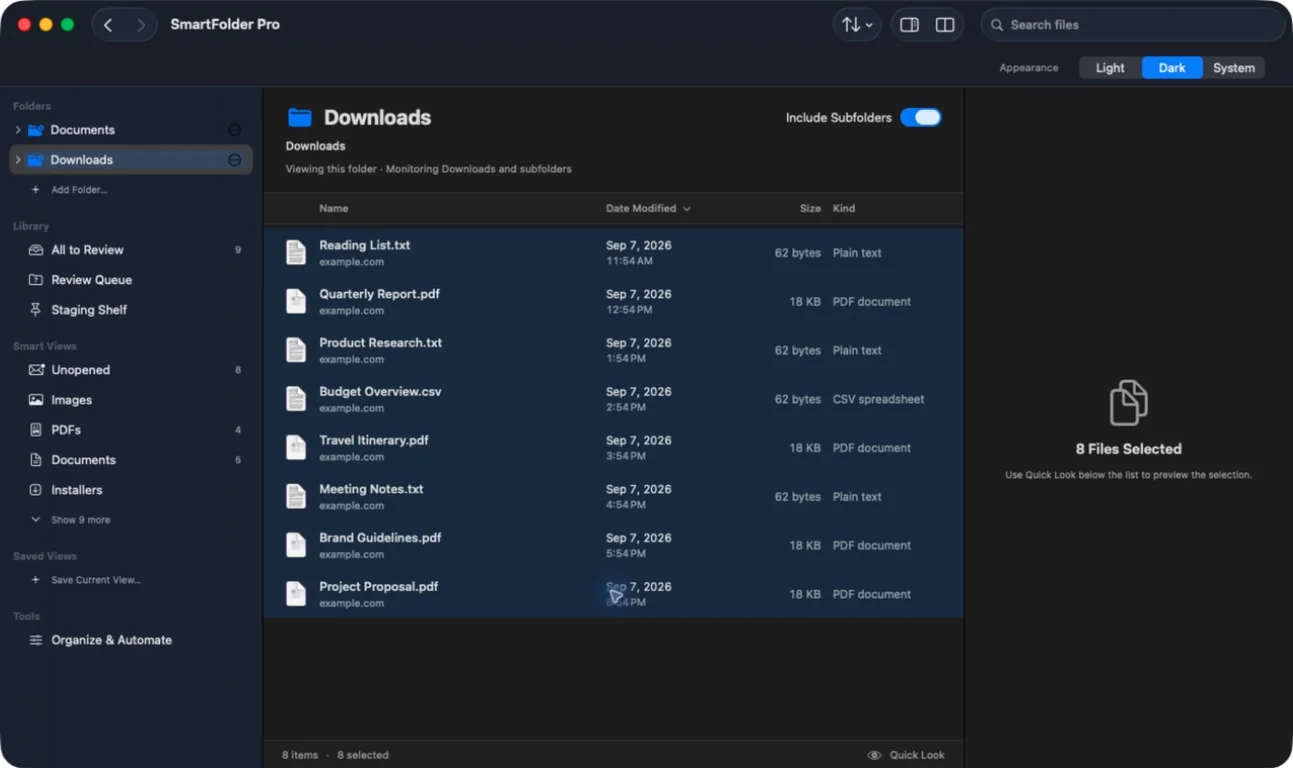
Features
What it does
Download origins
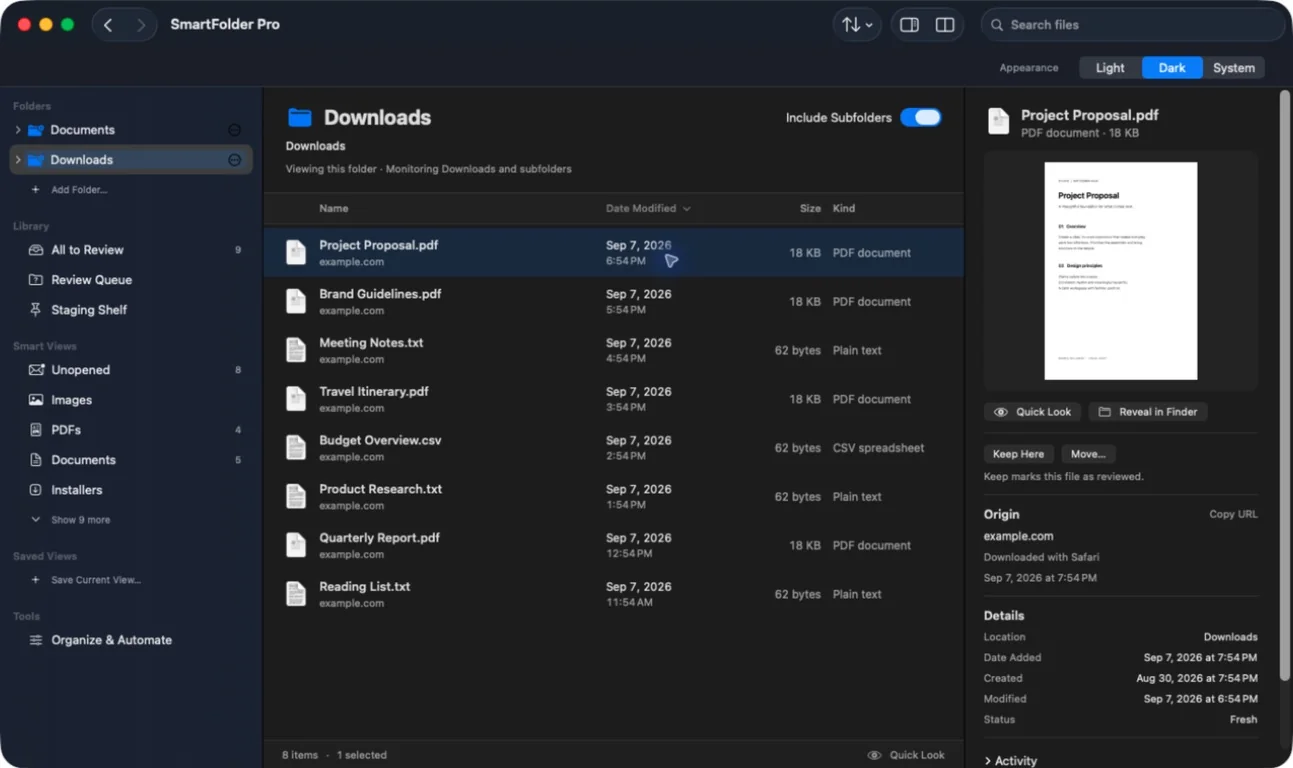
See the website, the app that downloaded a file, and when. Filter by source.
Review inbox
All to Review, Review Later and a Staging Shelf with reminders that never delete anything.
Undo and Redo
Moves, renames, copies, new folders and Trash can be undone, with a searchable 90-day history. Nothing overwrites an existing file.
Rules with preview
Match by name, type, size, source site, app or date, then move, rename, tag or shelve. See the whole plan before anything changes.
Suggested rules
SmartFolder Pro notices how you file things and suggests rules you can accept or dismiss.
Smart Views
Unopened, Images, PDFs, Installers, Archives, Large, Stale, Screenshots and more, plus your own saved views.
Duplicates
Finds exact copies by their contents and lets you choose which one to keep.
Plain-language search
Type something like “invoices from last month”. Optionally search inside PDFs and images, read on your Mac.
Finder-style browsing
Favorites, Locations, dual-pane view, breadcrumbs, Go to Folder and Quick Look.
Privacy
Runs entirely on your Mac.
No network code
No account and no telemetry. The privacy manifest declares no data collection.
Reading documents is opt-in
Text inside PDFs and images is only read if you turn it on, and you can delete it any time.
Standard permissions
Sandboxed, using the normal macOS folder permissions. No Full Disk Access or Accessibility needed.
Keyboard
Shortcuts worth knowing
Questions
Good to know
Does it upload my files or track me?
No. There’s no network code, and the app declares no data collection or tracking.
Can I undo a mistake?
Yes, for moves, renames, copies, new folders and Trash, with 90 days of history. Emptying the Trash or changing files elsewhere can prevent recovery.
Will rules move files without asking?
Only if you turn on automatic rules. Otherwise you preview and approve each run, and auto-filed files stay visible for 24 hours.
Does it need Full Disk Access?
No. It uses standard macOS folder permissions for the folders you choose.
Does it read my documents?
Only if you enable reading text in PDFs and images. That text stays in a local database you can clear.
Platforms
Mac
macOS 15 or later
Get it
- Coming soon. The download will be linked here.