 Coming soon
Vibe Marketing
Chart a calmer app launch.
A Mac app that guides indie developers and game makers through one focused launch campaign: plan it, prepare the posts, publish them yourself, record what happened, and close with an honest report.
Mac · macOS 14 or later, Apple silicon or Intel
How it works
Four steps, start to finish.
- 1
Describe your release
Product, audience, platforms, release state, main goal and the hours you have each week.
- 2
Approve a brief
An objective, a primary channel, dates, a target and how you’ll measure it.
- 3
Prepare and publish
Draft, check and approve each piece, then publish it yourself and record the link.
- 4
Measure and close
Enter results, write down lessons and a decision, and export the final report.
A closer look
See it in action.
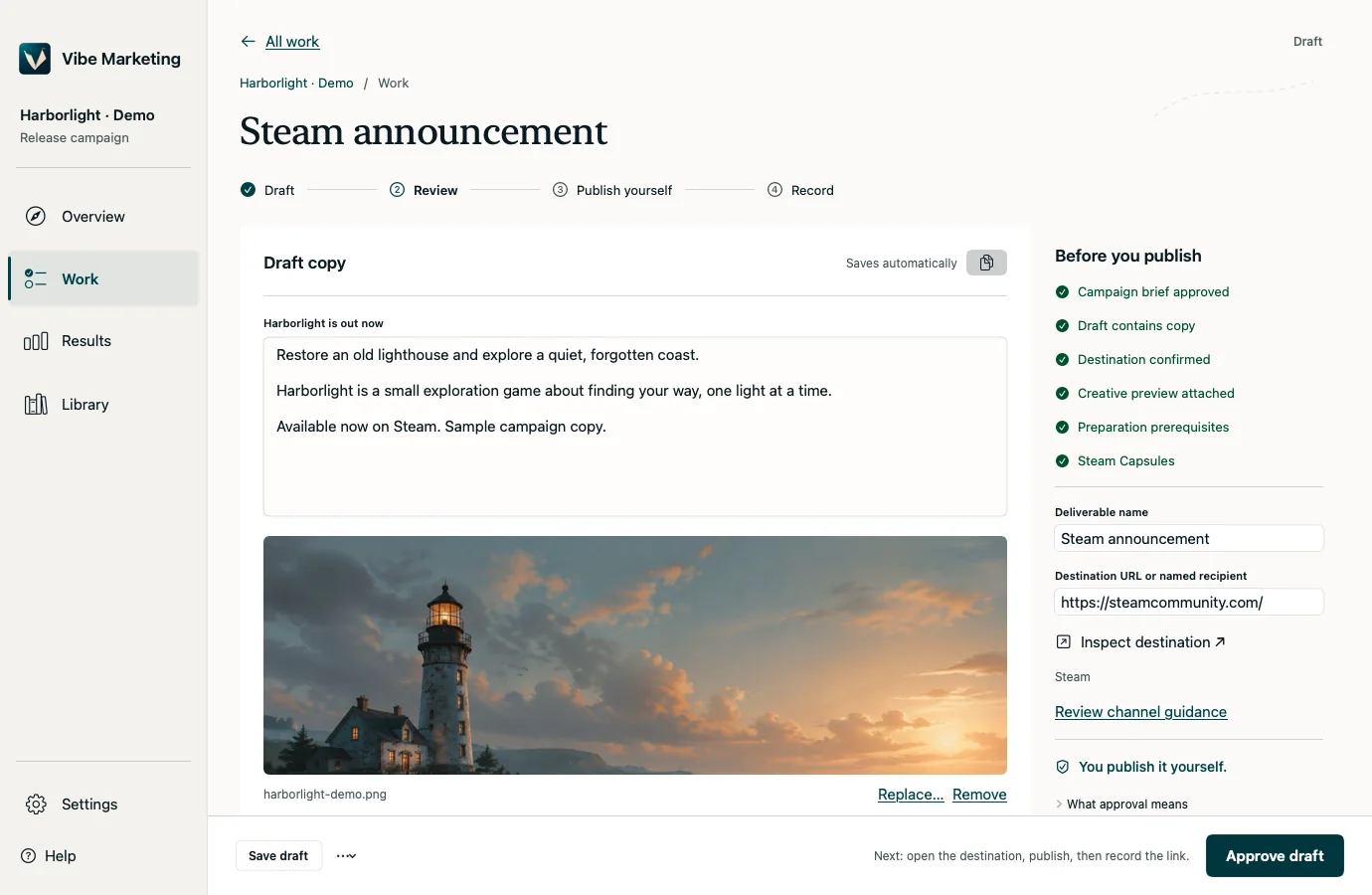
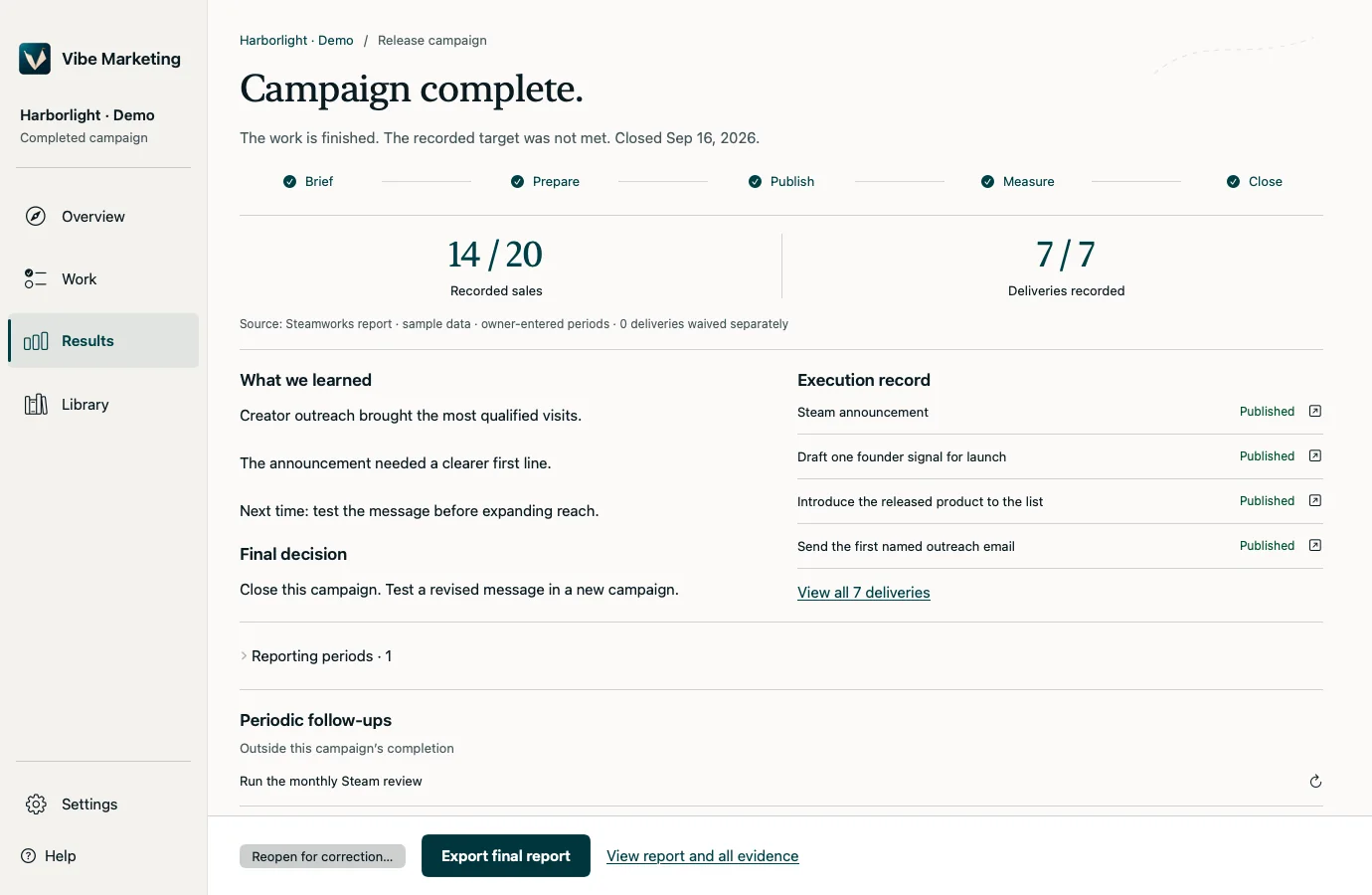
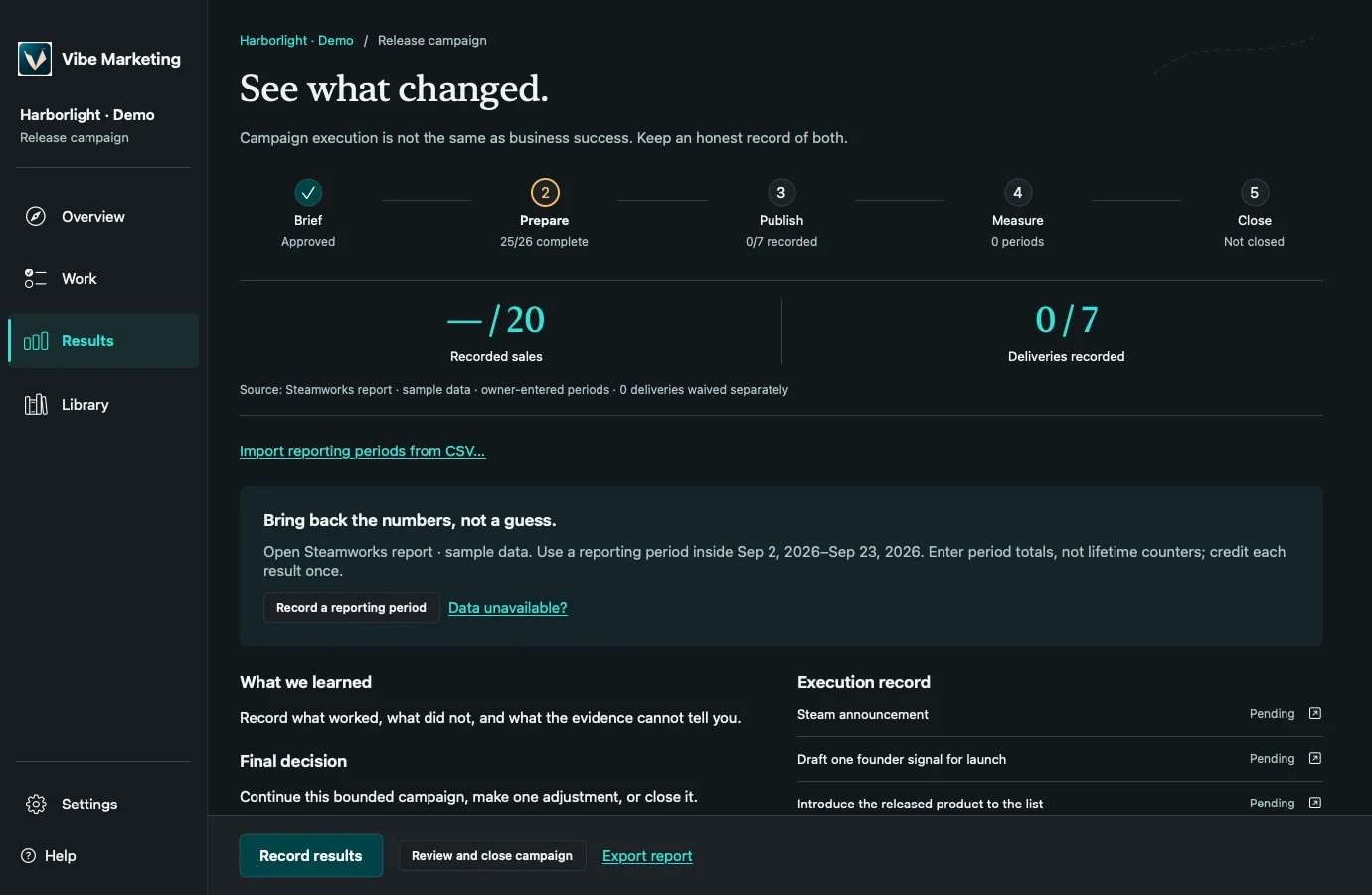
Shown with the fictional Harborlight demo campaign.
Features
What it does
Guided campaign course
Five stages, Brief, Prepare, Publish, Measure and Close, with the next recommended step always in view.
Draft and review
Editable copy, a before-you-publish checklist and approval history. Approving a draft never publishes it.
Three ways to draft
Built-in drafts made on your Mac, your own OpenAI key, or a local model server.
Launch library
17 modules, 55 task templates and 45 rules covering landing pages, App Store and Steam listings, Product Hunt, Show HN, press and more.
Routes for games
Steam, App Store and direct-sale paths that account for unreleased, Early Access and live games.
Capacity-aware dates
Suggested dates based on the hours you have each week, with warnings when a plan is overloaded.
Honest results
Record results by period or paste a CSV. Reports keep “the work is done” separate from “the target was met”.
Reports and backups
Export Markdown or JSON reports, and back up or restore every campaign.
Agent handoff
Hand a brief to an outside AI tool and review its suggestions before anything changes.
Privacy
Your campaigns stay on your Mac.
No account or analytics
No analytics or advertising SDKs, no account and no cloud sync.
Network only when you ask
Drafting with OpenAI or a local server sends the relevant campaign details only when you request a draft. Built-in drafts stay offline.
Keys in Keychain
Your API key is stored in the macOS Keychain and never included in prompts.
Nothing done in public
It never posts, emails, submits, votes, follows or spends money.
Keyboard
Shortcuts worth knowing
Questions
Good to know
Does it post for me?
No. You publish yourself, then record the link in the app.
Do I need an OpenAI key?
No. Built-in drafts work offline. A key or a local model is only needed for open-ended drafting and revisions.
Where is my data stored?
On your Mac. Your API key is kept in the Keychain, and there’s no cloud sync.
Which storefronts are covered?
Steam, the Apple App Store and direct sale. Console stores, itch.io, Google Play and Epic aren’t covered yet.
Will it guarantee sales?
No tool can. Vibe Marketing helps you plan the work, do it, and measure it honestly. Results depend on your product and audience.
Platforms
Mac
macOS 14 or later, Apple silicon or Intel
Get it
- Coming soon. The download will be linked here.
Support
More from Camis AI
All products
Terminal Champion
The command center for AI coding agents.

Camiscorder
App Store previews, without the video editor.

PhotoPusher
Every camera, straight into Google Photos.
Bellhaven Coming soon
A little ship. A great adventure.